INVITATION to J2 Labs II: iPhone/iPod Power

Put your iPhone or iPod touch on steroids!

Find out how Apple’s iPhone and iPod touch can make you more productive, educate you, entertain you, and even keep you healthy!

You bought the coolest device on the planet, and you already love its visual voicemail, and how breezily it keeps in touch by email and text.

But you’ve heard about this world of great apps you can get through iTunes, but you haven’t wanted to invest the time and money to figure out which apps will really work out.

Well, we at J2 have done all of that searching and mousing and clicking for you! We’ll show you how to keep an easy task and shopping lists, shop smarter, find a good meal, and keep up with the world.

Luca Enoteca has wifi, so bring your laptops; if you don’t use a laptop, you can watch our screen on a projector.

Big thanks to everyone who came down for J2 Lab I. We had a great time, and we’re very excited and grateful to have plans to keep it going!

J2 Lab II:
iPhone/iPod Power
November 5, 2008
Noon – 2pm

Luca Enoteca
401 S Alamo St
San Antonio, TX 78205
(
map)

$45/person includes a delicious lunch.

MENU: TBA

Course One:

Arugula Salad:Bluebonnet Farms arugula radicchio, Cabrales blue cheese, candied pistachios, pecorino romano & balsamic vinaigrette

Course Two, choice of:

Farfalle Alfredo – farfalle pasta, grilled chicken, sun-dried tomatoes in parmesan cream

Chicken – Buddy’s natural chicken breast, parmigiano, grilled asparagus, sun-dried tomato pesto

Crudo panini – sliced proscuitto de parma, capicola, Genoa salami, green olive tapenade, provolone & horseradish aioli

Course Three:

Choice of tiramisu ormixed-berry sorbetto

Includes your choice of tea, coffee, or soft drink


Complimentary valet parking — pull on up to the driveway.

Click here to send an RSVP email to reserve your place.

Future J2 Lab sessions will cover:

  • Mac Mastery
    Mark your calendar! Saturday, November 15, 1pm-3pm
    We’re going to show what every Mac user should know.
  • Mommy, what’s a social network?
    Kids today, with their Facebook and their Plaxo and their hula hoops… Let’s explore what social networks are, and how they’re not just for breakfast anymore.
  • Ooh, Pretty!
    
Use Apple’s iWork to put some snazz in your communications.

Check our calendar at j2mac.com for upcoming events!

Current speedtest.net results

Holy Mickey’s Wide Mouth, Batman! I’ve been paying Time-Warner for 12Mbps cable internet, but I just ran metrics a few times at speedtest.net, and here’s what I got:

28,788 kb/s down – 762 kb/s up
17,142 kb/s down – 668 kb/s up
27.723 kb/s down – 659 kb/s up

Those download speeds are ridiculous!

Cool storage product

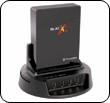
It’s a SATA drive “toaster”.

Heard about these on MacBreak Weekly. It’s a dock for internal hard drives. Buy your SATA drives on the cheap, keep them in their original packaging, and when you need to use one, just pop it into this dock.

Keep them cataloged with an app like CDFinder. And store them on a shelf — remember, one copy at your home or office, and one copy offsite! — out of the way until you need ’em.

Most consumers are not going to need these, but let’s say you shoot a lot of video. This is a nice alternative to multiple Drobos, or more expensive external hard drives (of uncertain reliability).

I found a link at NewEgg and a different version of the same idea: here and here.

UPDATE:

Erick just found this Blacx SE dock, which has a cover to protect the docked drive, and a powered USB 2.0 hub to boot.


AN INVITATION FROM J2 MAC

Import • Organize • Share • Enjoy

Join us for the inaugural J2 Lab!


We’re very excited about this series. The topic of our first session will be…

YOUR DIGITAL PHOTOGRAPHS:
 How do you get them into your Mac, what do you do with them once they’re there, how do you find them again, and what are the various ways you can share them with family, friends, and maybe even the whole wide world.

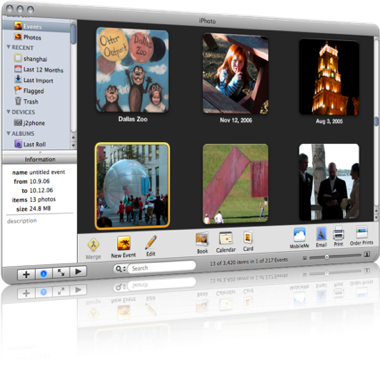
We will focus on Apple’s iPhoto and Flickr, the most popular and flexible online photo-sharing site.

Luca Enoteca has wifi, so bring your laptops; if you don’t use a laptop, you can watch our screen on a projector.

J2 Lab: Photo Wrangling
October 7, 2008
Noon – 2pm

Luca Enoteca
405 S Alamo St
San Antonio, TX 78205
(
map)

$35/person includes a delicious lunch.

Menu TBA

Click here to send an RSVP email to reserve your place.

Future J2 Lab sessions will cover:

  • Organization Without Paper!
    Use the Mac, iPhone, and internet can help you stay on task and productive, in your home, office, and on the go.
  • That Other 90% of Your Mac
    Fix that feeling of “I don’t think I’m using my computer to its full potential.” Understand your Mac, get faster on it, and find out what all those little bits of it are, which ones are helpful, and which ones you can ignore.
  • Ooh, Pretty!
    
Use Apple’s iWork to put some snazz in your communications.

Check our calendar at j2mac.com for upcoming events!

Play your iTunes library anywhere in the world

I am testing a service called Simplify Media, which is potentially really cool. It has not been hitch-free, but when it works, I can play any song in my home library on my iPhone or laptop, anywhere in the world where I have a connection. You can also share libraries with up to 30 friends.
It has worked fantastically on my own library, and listening to a friends’, but he had trouble getting to mine. I still don’t know why, since I was able to access mine with no problem.

Oh, yeah – it’s FREE!

iTunes error 5002: Put down your torches and go home

After trawling the discussion boards, finding suggestions to…
~ delete all my apps — which makes you have to reconfigure them on the phone. Blech.

~ find the apps with generic icons, which I no longer had after my last purge

…I finally bit the bullet and went through the alphabetical list, comparing all my apps listed in iTunes with those actually downloaded to ~/Music/iTunes/Mobile Applications. Thankfully the one missing started with a “B”. I killed that in iTunes and was able to run “Check for updates” with no error.

Conclusion: Go through the list in iTunes, selecting each app and doing a File > Show in Finder. The easy way to accomplish this is:

  1. Click on the first app
  2. Cmd-R to show in Finder.
    • If it’s there, Cmd-Tab to go back to iTunes, and right arrow to go to the next app. Go to the top of step 2.
    • If it’s doesn’t show in Finder, Cmd-Tab to go back to iTunes, and either delete that app from your list ‘cos you don’t want it anymore, or redownload it from the iTunes Store. Then right arrow to the next app and go to the top of step 2.
Lather. Rinse. Repeat.
It’s not really a two-step process, but it didn’t seem worth drawing a flowchart.

Things I download on everyone’s Mac

These are direct as I can make ’em. Click on the links, and in most cases, the software will start downloading.
  1. Firefox 7
  2. Google Earth and Google Chrome
  3. Flip4Mac and Silverlight (To play Windows Media files — this is just the latest version, but I’ll try to keep it updated. The company’s download site is here.)
  4. Perian (To play everything else. Same note as for Flip4Mac; download site here.)
  5. OpenOffice (direct link to download) – I want to encourage everyone to start thinking about editing docs online, but if you need an Office suite, this is as good as Microsoft’s.
  6. SMARTreporter – get notified if one of your hard drives is going to fail. Of course, even if it does, you’re fine, because you’re backing up every day, right? (Note: I don’t always do this one any longer.)
I also have a list of my favorite OS X tweaks here.

My favorite tech support instructions to date

To reset the serial number prompt – you will see a picture of the Mona Lisa. Click on the white dots in the top right and left hand corners a bunch of times. You will not see anything happen. Close and then re-open. That should do it.

He called it their “Da Vinci Code.”

Things we love and hate

And then there are those phenomena that stoke our duplicity:

  1. Apple’s rigidly constrained product line: Purchase decisions are easy, but you always want that one other product — the iMac that’ll take 8GB RAM, the MacBook Air with FireWire, the … dare I say it … tablet.
      
  2. Apple’s increasing popularity: It was fun to drive the BMW of computers. But now every other car at the coffee shop … er, I mean, on the road … is a BMW. I think Mac users used to skew smarter and more open-minded; now we’re all over the place. Plus, as evidenced by the MobileMe fiasco, Apple needs to stop trying to be all things to all people. Let the iPhone sync wirelessly with other services like Google or Plaxo, why dontcha? (I mean, besides Exchange, which is discountable as a consumer solution.)
      
  3. The Mac mini: 2GB RAM? Really? Come on! It’s a fantastic machine. I’m typing on one now. Gigabit Ethernet. Fits anywhere. Super-slick. It’s my multimedia server, and home backup. Fantastic — until it runs out of memory, and then nothing but a reboot is gonna fix it. Reaaaaaally?
      
  4. Democracy
     
  5. An unhacked iPhone
     
  6. OS X Server: So good, so pretty, so clean, yet so limited, and not nearly stable or reliable enough. There’s a reason that MS Small Business Server is so popular; if you follow the Microsoft dogma, you don’t have to learn anything else to be a PC tech. Apple has waited too long to make the managed-client scenario obviously plug-and-play GUIfied. And it’s got a lame Address Book Directory, and a calendar server that won’t easily sync with the iPhone. REALLY?!
      
  7. The f@$%*& iTunes App Store. What a boon to the iPhone, but I really can’t believe Apple rejected a podcatcher application. Jerks.

Things that bug us

I’m compiling a list of junk that Erick and I run across that make us crazy. In some particular order, and warning: profanity follows…

  1. Western Digital MyBooks
  2. Maxtor drives
  3. Backup software not backing up
  4. Backup software not backing up because your stupid MyBook keeps unmounting itself
  5. Best Buy’s crappy prices and inventory
  6. That Best Buy sucks so bad we actually miss CompUSA
  7. Circuit City
  8. Altex
  9. The disturbing lack of a Fry’s Electronics store in San Antonio
  10. Yahoo not offering IMAP access to mail clients besides the iPhone
  11. Configuring email on a Blackberry
  12. Dell printers
  13. Gas prices
  14. Ill-informed AppleCare reps
  15. Tech-support phone monkeys who don’t listen, who assume they’re dealing with ignoramuses, and who keep insisting that you need to archive and install
  16. No CalDAV support on iPhone
  17. DSL
  18. Best Buy’s upping the price on DSL modems — Fuckers!
  19. Having to buy a modem at Best Buy because the know-nothing, knee-biting AT&T rep installed a crappy 2Wire wireless router even though the client had a router sitting right there.
  20. AT&T
  21. 2Wire
  22. AT&T’s damn DSL setup CD, which a client unsuspectingly inserted in their server, only to have it change the server’s network settings and screw up their whole operation.
  23. Lack of copy-paste on the iPhone
  24. Black iPhones shipping with white accessories
  25. Entourage (though admittedly less so these days, but don’t tell Microsoft I said so)
  26. Windows Windows Windows
  27. Windows Me
  28. Windows Vista
  29. Windows XP
  30. Windows 2000
  31. Microsoft Small Business Server
  32. Mac OS X Server (yeah, it’s on the list of Things We Dig, too)
  33. Printer/scanner manufacturers with poor driver rollouts for OS X
  34. Stupid fucking Jar Jar (I just had to)
To be continued…