My iPhone 2.0 Saga, Part III: Good news/bad news

I started getting this really annoying error in iTunes, when trying to check for updates in the App Store:

“We could not complete your iTunes Store request.
An unknown error occurred (5002).

There was an error in the iTunes Store. Please try again later.”

I had resolved this once in the past by deleting and redownloading apps, but that didn’t work this time. So, since the 2.1 update seemed to go so well with just a straight “Update”, I thought I’d see if the iPhone backup process really was fixed. I didn’t mention in Parts I or II that the 2.0 backup-and-restore system, besides taking an obnoxiously long time, also failed to restore all the preferences to the phone, thus requiring at least a partial reconfiguration of my device.

After ensuring that my backups were turned on, and that the MobileSync folder had a recent backup (only 7.9MB!), your intrepid correspondent hit the Restore button in iTunes. And…

…It worked! The restore process itself was pretty quick, though It took a while to reïnstall all the apps and the music and the photos and the podcasts, but that’s due to my own particular digital gluttony. All my app preferences and other configs and address book and SMS messages and everything came back. All I had to do was reörganize the apps on the Springboard (they installed alphabetically, which is understandable, though I still want Apple to make that easy).

But…

The stupid iTunes error remains. Last time, I tried changing my iTS password and reëntering my credit card info, according to suggestions in the Apple discussions, but that didn’t work, and I really don’t think that’s a reasonable fix, since Apple doesn’t let you use the same password that you’ve used in the last year.

I’m going to do further research on that, but the successful restore was worth an immediate post. 

P.S. I like umlauts.
Old G4 with processor upgrade is crashing

I have a G4 running 10.4.  I upgraded the processor last year.  It’s now panicking often. Blue screens. Freezes. Fun, fun. I am sure the original processor is somewhere, nearby, packed in a moving box.
The only thing I really want to save on that tower is, predictably, my iTunes library which is on a 2nd hard drive which is mounted separately from the original disk.

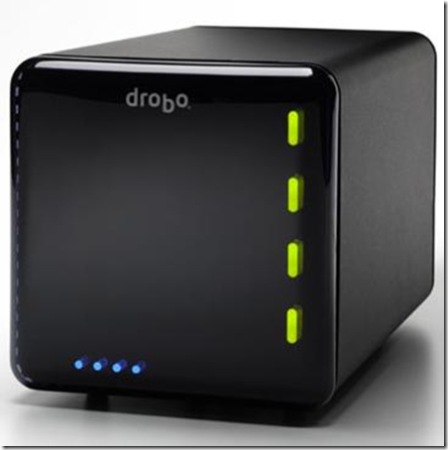
I suspect a new Mac will be purchased very soon. I have an original Drobo, but have yet to purchase drives for it.

Allow the yelling about backing up to commence.

I’m a bit biased here, as I have always distrusted processor upgrades. They just seemed more trouble and expense than benefit. Now with the Intel machines, I figure they’re pretty much irrelevant.

Your G4 may be salvageable, but I really do think you need a new Mac. Bite that bullet, bubba. And to get your data off the G4, if it won’t boot to FireWire target disk mode by booting while holding down the “T” key, you can buy a Firewire enclosure or even better, a data cable such as this one, for the internal hard drives from which you need to rescue data.

Excellent work buying that Drobo. Now about those drives

And then… BAAAAAAACCKK UPPPPPPPP!!!!

No calendar events on the iPhone

I added my calenders from the iPhone to my iCal and turned off MobileMe calendars on my phone and synched. After waiting 15 minutes for it to sync, I ended up with no calendar events on my phone. What now? Should I restore?

In iTunes > iPhone > Info tab, scroll to the bottom and check on “Calendars” under “Replace information on this phone”. Hit Apply, and let me know what happens.

FileMaker developers in San Antonio

I have heard of Alamark as a catalog publisher, but I didn’t know they did custom FileMaker databases. When asked about custom database solutions, I have preferred to recommend pre-done packages, since hiring an independent developer can lead to having a great, plush database … that’s hard to get consistent support for. But I’ve always wanted to know about a local FileMaker pro. After a brief chat with the folks at Alamark, I’ve learned that they have a staff of developers, and they offer a host of support options, including managed services.
Good to know!

Disclosure: Alamark originally called me about my services, and there’s a good chance we will have the opportunity to work together in the future.

Yes Music

This is so cool, I just had to put up a quickie: yes.com
This site collects the playlists from most terrestrial radio stations in the US, and lets you see information about what songs they play, and most likely what song is playing right now! So if you hear the radio, if you can identify the station, you don’t have to try to guess the song anymore.

Now, that is fantastic, as much so as two of the coolest apps written for the iPhone: Shazam and Midomi. These apps can listen to a piece of music — recorded, sung, hummed, or mangled — and tell you what it is. Then they’ll point you to YouTube videos of that track, or let you buy it in iTunes. Stellar!

My iPhone 2.0 Saga, Part II: Fix apps crashing

If all of your third-party App Store apps are crashing, and maybe your phone’s music library is no longer accessible, my very helpful AppleCare technician recommended the following procedure.

  1. Delete all the apps from the phone.
  2. Go into ~/Music/iTunes/Mobile Applications, select all, and copy/paste the list of files into your favorite notetaker, so you can remember all the bloody apps in your Library. I have 99.
  3. Delete all the apps from iTunes, moving files to the Trash.
  4. REDOWNLOAD every single app from the App Store (the Store will let you redownload paid apps without recharging you).
  5. Re-sync the iPhone, perhaps being more particular about which apps you actually keep on the phone.
  6. Reconfigure all your apps, and start your games from scratch. Lovely.

This worked. What a pain, but it worked. So it appears that some application somehow got corrupted, and it screwed up the whole phone. The really annoying part is that, because of Apple’s very closed system, you can’t tell which is the offending app.

Now, only two days ago, after two great weeks of fully stable iPhone performance, the damn thing started crashing again. This time, however, I knew which certain few applications I had purchased recently, and I was able to redownload and reinstall just those, and that did the trick. At least so far.

I just can’t believe that, for all of its “walled-garden” approach, Apple couldn’t prevent one bad… er… app-le, from… umm… spoiling… no, I better not.

Note: I have found, though all of these tribulations, that it is sometimes efficacious to re-install your iPhone applications in groups, according to category. Otherwise, they go in alphabetically, which has its own appeal, but can get tedious if you’re slogging through a long list. I would love for Apple to introduce some kind of quick organizational tool for apps in iTunes that would let you choose the order for apps to appear on the home screen. Ferpetessake, they have categories built in to the App Store! Sheesh.

My iPhone 2.0 Saga, Part I: AppleCare

Starting about 2 weeks after I bought my iPhone 3G (which was on the day of its release), my third-party apps, those downloaded from the App Store, started crashing. All of them. Consistently. Tap on one, it flashes its first screen, then flashes away, back to the Home screen.

Feh.

For the next month, I suffered: I wiped the phone. I reinstalled. I backed up and restored. I did two full erases, which took upwards of an hour each. I restored again. I probably restored a dozen times, and most of those times I had to re-setup the phone from scratch. I learned a way to extract my SMS messages from the backup files (be ready to use the Terminal!). 

Finally I called AppleCare.

AppleCare for the iPhone is a funny thing. For the most part, the iPhone either works or it doesn’t. If it doesn’t, you restore it, and then it starts working again. If the restore doesn’t work, you have a bad phone and you need to take it to the Apple Store so they can replace it.

So I was surprised when the first rep I talked to had recommendations beyond that, and very weird ones, to boot. He told me that:

a) I had too many applications on the phone; that the phone, like a computer, couldn’t handle too many applications running at the same time. I said they weren’t running at the same time: It is very clear that only Apple applications can run background processes, and all third-party programs stop everything when you go close them. He said that wasn’t true. I said Steve Jobs had said it He said it wasn’t true. I said, show me some documentation, something to tell me that there is a maximum number of apps you should keep. He said he didn’t need documentation; he learned it in training. I said, no you bloody well did NOT.

b) I should reboot my phone every day, just like my computer. I told him I very rarely need to reboot my computer. He said I needed to. I said, show me some documentation, something to tell me that there is a maximum number of apps you should keep. He said he didn’t need documentation; he learned it in training. I said, no you bloody well did NOT.

And then I said, lemme talk to your supervisor.

After about 20 minutes, a very friendly and helpful tier-2 technician came on the horn. I told him about a) and b), and he assured me that he had instructed the previous phone monkey not to spread bullpuckey like that around anymore. Thank you, I said, from the entire iPhone-using populace.

Then began our dialogue, by phone and email, trying to resolve my app-crashing issue. We went through the whole restore process a couple more times, when finally he suggested the procedure that, for organizational purposes and ease of reading, I’m going to post in Part II.

iPhone 2.1: so far, so good

I haven’t gotten a chance to post my iPhone saga. Gonna do that next, but right here I just want to record that I was able to run the plain ol’ software update from within iTunes, and it went smooth as silk. So far, the phone is behaving, and backups in iTunes do happen a lot faster, as promised, so this post should be less relevant from here on out.
I haven’t put battery life to the full test. Here’s hoping…!

Drobo failure

Man, I love my Drobo. I even wrote about it for our local alt-newsweekly. We’ve installed Drobos at several clients, and we’ve never had occasion to consider any other mass-storage device. Their support has been stellar … up to now.
Two weeks ago, the drive volume on my Drobo went belly-up. Couldn’t access it except for just long enough — THANK GOODNESS — to back up everything. I tried reformatting it but the damn thing won’t stay mounted.

The thing is, I wouldn’t mind as much if the Drobo engineers weren’t still, purportedly, looking at my diagnostic file, after a WEEK. I’m stuck. It was easy enough to retrieve my financial data, but my music and multimedia remain in limbo on a single external hard drive. I want to try another reformat, or maybe buy an additional SATA drive to increase storage (it wasn’t near full, and all of the disk lights were all-systems-go green), but I really just need to hear something from the engineers to set my mind at ease.