INVITATION to J2 Labs II: iPhone/iPod Power

Put your iPhone or iPod touch on steroids!

Find out how Apple’s iPhone and iPod touch can make you more productive, educate you, entertain you, and even keep you healthy!

You bought the coolest device on the planet, and you already love its visual voicemail, and how breezily it keeps in touch by email and text.

But you’ve heard about this world of great apps you can get through iTunes, but you haven’t wanted to invest the time and money to figure out which apps will really work out.

Well, we at J2 have done all of that searching and mousing and clicking for you! We’ll show you how to keep an easy task and shopping lists, shop smarter, find a good meal, and keep up with the world.

Luca Enoteca has wifi, so bring your laptops; if you don’t use a laptop, you can watch our screen on a projector.

Big thanks to everyone who came down for J2 Lab I. We had a great time, and we’re very excited and grateful to have plans to keep it going!

J2 Lab II:
iPhone/iPod Power
November 5, 2008
Noon – 2pm

Luca Enoteca
401 S Alamo St
San Antonio, TX 78205
(
map)

$45/person includes a delicious lunch.

MENU: TBA

Course One:

Arugula Salad:Bluebonnet Farms arugula radicchio, Cabrales blue cheese, candied pistachios, pecorino romano & balsamic vinaigrette

Course Two, choice of:

Farfalle Alfredo – farfalle pasta, grilled chicken, sun-dried tomatoes in parmesan cream

Chicken – Buddy’s natural chicken breast, parmigiano, grilled asparagus, sun-dried tomato pesto

Crudo panini – sliced proscuitto de parma, capicola, Genoa salami, green olive tapenade, provolone & horseradish aioli

Course Three:

Choice of tiramisu ormixed-berry sorbetto

Includes your choice of tea, coffee, or soft drink


Complimentary valet parking — pull on up to the driveway.

Click here to send an RSVP email to reserve your place.

Future J2 Lab sessions will cover:

  • Mac Mastery
    Mark your calendar! Saturday, November 15, 1pm-3pm
    We’re going to show what every Mac user should know.
  • Mommy, what’s a social network?
    Kids today, with their Facebook and their Plaxo and their hula hoops… Let’s explore what social networks are, and how they’re not just for breakfast anymore.
  • Ooh, Pretty!
    
Use Apple’s iWork to put some snazz in your communications.

Check our calendar at j2mac.com for upcoming events!
AN INVITATION FROM J2 MAC

Import • Organize • Share • Enjoy

Join us for the inaugural J2 Lab!


We’re very excited about this series. The topic of our first session will be…

YOUR DIGITAL PHOTOGRAPHS:
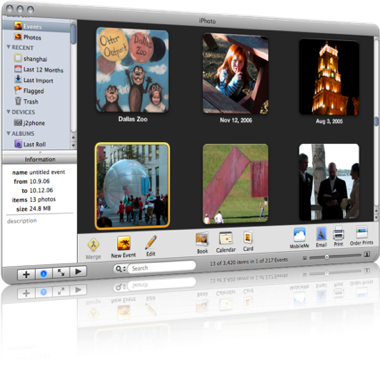
 How do you get them into your Mac, what do you do with them once they’re there, how do you find them again, and what are the various ways you can share them with family, friends, and maybe even the whole wide world.

We will focus on Apple’s iPhoto and Flickr, the most popular and flexible online photo-sharing site.

Luca Enoteca has wifi, so bring your laptops; if you don’t use a laptop, you can watch our screen on a projector.

J2 Lab: Photo Wrangling
October 7, 2008
Noon – 2pm

Luca Enoteca
405 S Alamo St
San Antonio, TX 78205
(
map)

$35/person includes a delicious lunch.

Menu TBA

Click here to send an RSVP email to reserve your place.

Future J2 Lab sessions will cover:

  • Organization Without Paper!
    Use the Mac, iPhone, and internet can help you stay on task and productive, in your home, office, and on the go.
  • That Other 90% of Your Mac
    Fix that feeling of “I don’t think I’m using my computer to its full potential.” Understand your Mac, get faster on it, and find out what all those little bits of it are, which ones are helpful, and which ones you can ignore.
  • Ooh, Pretty!
    
Use Apple’s iWork to put some snazz in your communications.

Check our calendar at j2mac.com for upcoming events!

Things I download on everyone’s Mac

These are direct as I can make ’em. Click on the links, and in most cases, the software will start downloading.
  1. Firefox 7
  2. Google Earth and Google Chrome
  3. Flip4Mac and Silverlight (To play Windows Media files — this is just the latest version, but I’ll try to keep it updated. The company’s download site is here.)
  4. Perian (To play everything else. Same note as for Flip4Mac; download site here.)
  5. OpenOffice (direct link to download) – I want to encourage everyone to start thinking about editing docs online, but if you need an Office suite, this is as good as Microsoft’s.
  6. SMARTreporter – get notified if one of your hard drives is going to fail. Of course, even if it does, you’re fine, because you’re backing up every day, right? (Note: I don’t always do this one any longer.)
I also have a list of my favorite OS X tweaks here.

Things we love and hate

And then there are those phenomena that stoke our duplicity:

  1. Apple’s rigidly constrained product line: Purchase decisions are easy, but you always want that one other product — the iMac that’ll take 8GB RAM, the MacBook Air with FireWire, the … dare I say it … tablet.
      
  2. Apple’s increasing popularity: It was fun to drive the BMW of computers. But now every other car at the coffee shop … er, I mean, on the road … is a BMW. I think Mac users used to skew smarter and more open-minded; now we’re all over the place. Plus, as evidenced by the MobileMe fiasco, Apple needs to stop trying to be all things to all people. Let the iPhone sync wirelessly with other services like Google or Plaxo, why dontcha? (I mean, besides Exchange, which is discountable as a consumer solution.)
      
  3. The Mac mini: 2GB RAM? Really? Come on! It’s a fantastic machine. I’m typing on one now. Gigabit Ethernet. Fits anywhere. Super-slick. It’s my multimedia server, and home backup. Fantastic — until it runs out of memory, and then nothing but a reboot is gonna fix it. Reaaaaaally?
      
  4. Democracy
     
  5. An unhacked iPhone
     
  6. OS X Server: So good, so pretty, so clean, yet so limited, and not nearly stable or reliable enough. There’s a reason that MS Small Business Server is so popular; if you follow the Microsoft dogma, you don’t have to learn anything else to be a PC tech. Apple has waited too long to make the managed-client scenario obviously plug-and-play GUIfied. And it’s got a lame Address Book Directory, and a calendar server that won’t easily sync with the iPhone. REALLY?!
      
  7. The f@$%*& iTunes App Store. What a boon to the iPhone, but I really can’t believe Apple rejected a podcatcher application. Jerks.

Finally ported to Google Apps

My j2mac.com email, calendar, and docs are now all managed by Google Apps. I’m pretty impressed. Setup is easy. They even gave specific instructions for GoDaddy’s domain manager. And things like syncing calendar (with Calgoo) and address book (with Apple’s iPhone-Google sync) make business so much easier. I’ve also signed a couple of other folks up on it, too.

So if anyone has been using my j2worldofmac-at-gmail address, please delete it and stick with info-at-j2mac.com. It’s official!

Keep your surfing secure

This is a tiny but important tip: When you go to Gmail or Yahoo! Mail or any other personal web-based service, you can make your connection less hackable by changing the “http://” to “https://“. The “s” stands for “secure,” and it means that traffic — the 0s and 1s — between your browser and the online service will be encrypted.

“Using an https: URL indicates that HTTP is to be used, but with a different default TCP port (443) and an additional encryption/authentication layer between the HTTP and TCP. This system was designed by Netscape Communications Corporation to provide authenticationand encrypted communication and is widely used on theWorld Wide Web for security-sensitive communication such as payment transactions and corporate logons.”
Getting in this habit is especially important for laptop and mobile users. It’s easy to store the https:// in your bookmark. When you use a secure link, you’ll see a little lock icon in one corner of your browser window.

I BLOODY HATE SYNCING

Jerked with Google Apps & Calendar today for an hour. Several
roadblocks, making it basically unusable as a collaborative tool. And
today, Google Calendar just got CalDAV. And it shows up in iCal!
And … it doesn't sync from iCal to the iPhone, over MobileMe or
otherwise.

Sonuvafrackin'bloodylichenlickin'skeetersuckin'sackin'frassin'mulletmuncher
!

I don't want 3rd-party, $$$-eating shareware conduits. I don't want
miscegenatin' web services. I just want to have one calendar that me
and a partner can edit and share.

I'm so sick of this, I can't see straight. (SSX Blur snowboarding on
the Wii might have something to do with that.)

ARRRRRRRRRRRRGH!!!!

J2 News: Invitation on iPhone Friday

“Woooooooooh!”
If you didn’t catch footage of an Apple Store on June 29, 2007, that was the sound of a greet-&-cheer line of Apple employees whenever a customer left the store with a new iPhone. It was a geeky good time. One so rarely gets applauded for being a gearhead.
This Friday will see the release of the next generation of iPhones, featuring faster internet (a.k.a. 3G), GPS navigation, and hopefully better reception and longer battery life. All iPhones, new and old, will also get the iPhone App Store, with hundreds of ultra-mega-cool applications that will be available and downloadable straight to your iPhone or iPod touch.
The stores at La Cantera and North Star Mall will open at 8am. History and logic say that you won’t need to stand in line. There should be plenty of stock. But plan on it taking a while, as you will have to activate your new iPhone at the store. (AT&T stores will have stock also, but they’re not nearly as much fun, and the staff rarely as knowledgeable.)
I think it’s gonna be a fun day. Lots to discover. Lots to play with — have you seen these awesome games coming out? Or this one?
I’ve been getting calls to help folks get up to speed on their new iPhones, transfer data, update software, activate Mobile Me (which we hope comes out by Friday), and download apps, soooo….
~~~~~~~~~~~~~~~~~~~~~~~~~~~~~~~~~~~~~~~~~~~~~~~~~~~~

Here’s my idea:

Everyone is invited down to the marvelous Luca Ristorante [map] on Friday, starting at 11, and we’ll have ourselves an iPhone-syncin’, 3G-surfin’, GPS-navigatin’, me.com-navel-starin’, new-fashion’ hoedown! 

$15 gets you into the session, and until 4pm, you can ask me about anything related to iPhone or Mobile Me. And if you want to discuss something else, I bet we’ll be able to accommodate.

Please RSVP to this email address. Bring a laptop if you can — there will be wifi — or be prepared to look over someone’s shoulder. 

And pass it on; the more the merrier!

~~~~~~~~~~~~~~~~~~~~~~~~~~~~~~~~~~~~~~~~~~~~~~~~~~~~
Tips:
Apple has posted a guide to replacing an original iPhone with an iPhone 3G, and I do encourage everyone to scope it. Most important: 1) Sync your existing iPhone before plugging in your new one! 2) Run Software Update to grab the latest iTunes.
Read the “What to bring” section of this page.
If you’re running Leopard, I would recommend updating it to the latest 10.5.4.
If you don’t have a hard drive backup of your computer, now is a good time to snag one at the Apple Store.
I’m also hoping this news — “AT&T says original iPhones can be deactivated and used as WiFi iPods” — is true about what we can do with our old iPhones.
Q: Should I buy a new iPhone?

Jonathan

J2 Consulting ~ Chicken soup for the Mac ~ 210.367.3420


“The National Weather Service advises you to stay away from Windows.”

Creating a web gallery for artwork

What is the best place for me to do a website for my artwork?

As usual, there’s free…

Post images to a photo site like Flickr.

There are multiple benefits to this approach: easy slideshows, easy “tagging” (e.g. ceramics, painting, installation)

… or cheap…

Apple has the .Mac service for $99/year. You can look at all the features — it’s pretty useful, especially when you get a laptop, but just for example, here’s one of my web galleries, and one in a different style.

One posts all the images straight out of iPhoto.

You can also point your domain name (e.g. alextheartist.com) to .Mac, so people won’t see that the real URL is gallery.mac.com/alextheartist.

Also, you can design your own site with a program like RapidWeaver. Hosting a web site can be as cheap as $4/month. I have yet to find a reason to go somewhere besides GoDaddy.

…and not cheap: hire a web designer …

This is doable, but for many folks, let’s just say a cost/benefit analysis would not favor this approach.

I know that, many times, a gallery who represents you will post the work that you have given them. Finesilver had some nice-looking pages.

Finally, I would suggest googling a bunch of artists you dig, see whose web sites you like, and asking them how they did it. FWIW, I just looked up Lloyd Walsh off the top of my head, and he used .Mac for at least a few images.

UPDATE 2013-04-03: Apple’s services .Mac, later MobileMe, don’t exist any longer, and their successor iCloud doesn’t offer web galleries. I recommend SquareSpace for all web-publishing needs. WordPress is certainly a viable platform still, but SquareSpace is much more configurable and user-friendly.

Can I make my menu bar fonts larger?

is there a way to increase the size of the menu bar (mainly the type size)? I have a new large display, but the menu items are tiny.


An age-old question. Apple has not built in a way to do this, but that's when 3rd parties come to the rescue. I have used TinkerTool for a long time to do things like this, and a whole bunch more. It's free, and while it's a use-at-your-own-risk product, I have never had any trouble with it. You can always ask it to revert to the system defaults: