Scheduling happens!

Welcome 2009, and welcome to Phase 1 of J2v2!

I’m so very pleased to announce a new appointment-making system up here at J2 HQ. As ofthis Tuesday,Lynn Gosnell has assumed the post of scheduling coordinator. It’s pretty cool that, with some of the amazing web services that have come out in the last couple of years, Lynn — a die-hard Mac fan, as well as writer and editor — can do this from pretty much anywhere — or at least from any internet connection.

Lynn has already made it possible to respond to client inquiries much more quickly than I could by myself. And I have enjoyed putting the mechanisms together to make a complete system. They run something like this:

First of all, GrandCentral (note: see Update below) gives us a permanent phone number (210.787.2709 for your scheduling pleasure). When Lynn wants to take point, she just signs into GrandCentral and points the service at her phone number, and then all calls will go to her. You can even point it at multiple phones, and it will ring in both places simultaneously. We can do custom greetings, custom ringing, spam archiving and blocking… the features are phenomenal.

And guess what? GrandCentral is free! They started out a couple of years ago, got some good press from people like David Pogue, and then the dream of every modern web startup came true: Google bought ’em.

Yet, while phone is a crucial piece of this puzzle, I think we would all agree that voice calls can take time — valuable time — to accomplish decisions that can be made much more efficiently. To that end, email has become the de facto preference for many of us, and text messaging (SMS) works well for others.

What if we could combine email, a collaborative calendar, and shared documents? Enter Google Apps. With 7+ GB storage per user, built-in IMAP support (a requisite for email on the iPhone), and super-easy asset sharing within one’s domain (e.g. j2mac.com) — and, yes, it’s free — Google has built a digital oasis where once was a desert. I have been floored with how well Google Apps has integrated into my business and into the organizations of our many clients who now benefit from this service.

In Google Calendar, the three of us can add to our respective calendars with ease. Lynn can manage mine and Erick’s calendars. We can each keep personal calendars whose event details are hidden from the others, though the “free/busy” information is available. And I can embed our layered calendars onto this siteso clients can see our upcoming availability. I like that someone can send us an appointment request such as “Ted Stevens, retrieve deleted emails, Thursday, 1pm-4pm” and we can copy and paste that into Google Calendar’s Quick Add field. How sweet it is!

We’re starting to use Google Docs to keep a history of our work for each client. We can see these docs on our iPhones, and anyone is welcome to ask us for a link to their J2 document.

Finally, a more new-fangled service called Yammer has enabled the three of us to message the others in a running narrative. Yammer is based on the idea of Twitter; both are geared toward short messages, and rely heavily on text messaging for posting and receiving updates. This is, for me, an important substitute for email, which is too cumbersome for quick updates while on the go. Yammer’s cost? You know it: $0.

Again, this whole on-the-go, location-agnostic way of working was not possible two or three years ago, certainly not with the minimal effort and expenditure we have spent this last week.

Phase 2 is a new look, comin’ your way shortly.

Update: Lynn Gosnell has decided to pursue other projects, so we will have a new scheduling coordinator soon. Also, GrandCentral is no longer subscribing new members.


Will my Mac get a virus?

There was news earlier this week that Apple had released an article recommending that Mac users install anti-virus software. Many journalists made a big deal of this. Turns out the tech-support article in question was several years old, and had simply been updated, and looked recent. In response to the whole kerfuffle,  Apple has since yanked the article, because…
We have still never seen a Mac virus “in the wild.” 
Definition: virus = “a piece of code that is capable of copying itself and typically has a detrimental effect, such as corrupting the system or destroying data.”
Viruses infect Windows computers, and they do so invisibly. But over the years, including just recently, a couple of anti-virus software companies recently reported a couple of  “Trojan horses” exploits of the Mac.
Definition: Trojan horse = “a program designed to breach the security of a computer system while ostensibly performing some innocuous function.”
Trojans are somewhat different than viruses. Trojan horses require that you, the user, do something to accept and install the malicious app on your system. In one example from earlier this year, the OSX.RSPlug.A Trojan, a web site purportedly offering a movie — guess what kind of movie — says that the video cannot be displayed, and asks the user to download a “codec,” which is actually an app that changes your DNS servers to send you to phishing and spamming sites.
OSX.RSPlug.A may be a pest, but it ultimately does not really screw up your computer, and like other Trojan horses, it is removable. This one, for example, can be wiped through this admittedly annoying process or using a free tool now published by SecureMac.
But here’s the really important point: As with any system-level software on the Mac, one has to enter one’s administrative password to install this Trojan. Which is yet another reason Macs are more secure, and is also a lesson: If you don’t know where a piece of software comes from, don’t install it. Know your admin password, and know what you’re doing when you use it. Simple. 
A wag of the finger went to the people at Intego, who publish VirusBarrier for the Mac, and who blew the worry about this exploit way out of the water, which created a media scare and gave Mac haters a change to spread fear, uncertainty, and doubt (FUD).
Finally, if a virus scare ever becomes real, Mac users will be able to download and run the free ClamXAV. But doing is neither my recommendation nor, apparently, Apple’s.

Best iPhone trick: close-up photos


Was talking to my girl a couple weeks ago about how cool it would be for the iPhone to be able to scan bar codes. Out of the box, it can’t because the camera lens is fixed-focus to about 3ft. The next day, my very clever lady found this on the interwebs:

Griffin Technology: Clarifi

Griffin lists it for $35, but I found it on Amazon for $20. Works so well with the free Snappr for shopping (try their mobile site!) and Evernote for everything else; one of Evernote’s nifty features is to be able to recognize text in an image, so the Clarifi is great for business cards, or any copy you want to remember without typing.

By the way, it’s a fine hard case, too.

For the snark record, the Clarifi was released mid-October, but it wasn’t til about two weeks after I ordered mine that I started reading about it everywhere. Man, Griffin, way to fill a really big need!

Got the new MacBook

13″. Back-lit keyboard. Now with 4GB RAM. 0.1 lbs. lighter than my 12″ PowerBook.
Oh, it’s so good. I’m more impressed than I have been with any previous model, at the time. Although, now I’m thinking back [cue bubbly dream-sequence transition]…

  1. 5300cs – 750Mb HD, 256MB RAM – The passive-matrix 256-color screen made it adequate but not special. Certainly a workhorse, but a pre-Jobs/Ive design.
  2. PowerBook G3 “Pismo” with FireWire – 500MHz, 512MB RAM (I think), 6GB HD – Stellar, with heft that was attractive at the time. DVD drive was so nifty. Airport card. I had the Zip drive that I could swap with the optical drive, which was a nice trick.
  3. Titanium PowerBook – 800MHz, 1GB RAM, 60GB HD – Ahhh, 10 times more storage, a G4 processor and a huge, bright screen. And so well built. The metal-encrusted TiBook was a major move forward in laptop design.
  4. 12″ PowerBook – 1.33GHz, 1.25GB RAM, 80GB HD – The fetish Mac. Wished I coulda gone to 2GB. Wished for back-lit keyboard. Wished for brighter screen. Wished for sudden motion sensor. Wished for bigger hard drive. Was able to hack the two-finger scroll. But for all of that, the 12″ is a fantastic unit.
  5. 15″ MacBook Pro – 2.2GHz, 4GB RAM, 160GB HD – Had to buy it. The 12″ had run its course and wouldn’t run Leopard well. Needed Intel. A rocketship with a bright, beautiful (and matte) display, although I hate to say I’m biased against it because a) it’s heavy and b) its logic board was screwed up from day 1. Having received the 13″, I can finally turn the MBP into AppleCare for the second time. I’m looking forward to getting it back for designing, viewing, and gaming. Also worth noting here that this was the last rev of Apple’s original aluminum laptop design, which had stayed incredibly consistent from January 2003 to October 2008, when the glass-trackpad-and-screen MacBooks were introduced. That’s a long, successful run for a design in this industry.
  6. 13″ MacBook – 2.4GHz, 4GB RAM, 250GB HD – Hewn from a single piece of aluminum, which is hot. LED screen that I can actually make too bright for indoors. User-accessible hard drive (want 7200RPM, but I love this 250GB!), which compensates somewhat for lack of FireWire. One single glass multi-touch trackpad, which my (slight) paunch seems to brush against and prevent good cursor tracking. And two option keys, which means no more key-remapping hacks. I’m officially a fan.

The only non-laptop Mac I’ve ever bought is my Intel Core Duo Mac mini, currently functioning as my media server (with a Drobo) and OS X Server break-and-fix learning box.

DigitalColor Meter

Filing this under: Yet Another Little Utility That Comes with My Mac That I Had Forgotten About…
I’ve needed something like DigitalColor Meter recently to find the hex number for a color to do some quick web-page design, and was surprised that whatever app I was working in made it less than easy to get that measurement.

Here’s a tip page on it.

I pwn thee, I pwn thee, I pwn thee

Do you think that “jailbreaking” my iPhone is a good idea? I have spent some time reading up on it and feel that I am ready to give it a shot.

Before the 2.0 software and the App Store, I definitely did have my first iPhone jailbroken, and thought that the phone was not nearly as useful without those extra features.

Since iPhone 2.0, and especially since they cleaned up and stabilized everything with 2.1, I haven’t had a super-compelling reason to hack (jailbreak) my phone. I do often miss the features — call logs, Qik, SMS mailing or export — that were available in the jailbreaking. and which Apple has not deigned to allow its officially sanctioned apps to offer. Stinkers.

That said, I got burned early on with jailbreaking, when I had to run an update, or had to troubleshoot by restoring the phone, and then I lost all of the data — notes, video recordings, or even game levels — that I might have created with a jailbroken app. So I’ve just learned to live without, and keep hoping that one day, Apple will open up and let some of those great ideas in.

Now, with all of THAT said, I have in fact jailbroken a 2.1 iPhone. I had given my daughter my original iPhone without a SIM card, for her to use as an iPod touch. Worked great… until I updated it to firmware 2.1, at which point the phone deactivated itself. You shoulda seen the look on her face when I told her the next day, “Honey, I temporarily broke your iPhone.” It took me several failed attempts of using the jailbreaking tool Pwnage, and finally using the same group’s QuickPwn in a Windows virtual machine in VMWare Fusion, to get the dang thing unlocked, but I did it, and it works fine. It’ll be the same battle if I ever want to upgrade it to 2.2, and so on. You can see why I haven’t done the same with my own phone, or if my kid were a teenager who actually used it as a mobile phone; I’d hate for either of us to be without a phone for any length of time.

(Side note: Now you’ve inspired me to google “iphone call log”, and find things like this, but it’s going to take me just a little bit of time to figure out how to use it. It appears to be only for those who are comfortable playing in Unix & AppleScript, but it’s only a matter of time before someone writes a GUI application to take care of it.)

San Antonio realtors can switch to Mac

I meant to put this out sooner:
The San Antonio Board of Realtors contracted an MLS developer to allow agents and other members to use Firefox and mobile browsers, such as that of the iPhone, to browse real estate listings. This is a huge deal for this market, and potentially for our business.

Play your music anywhere, part II

I wrote a few weeks ago about Simplify Media, which worked great for, like, 3 days. And then my experienced mirrored my friend Jeff’s: Simplify just stopped working. The iPhone app wouldn’t completely update the library, and would crash.
Last week, an old service announced new features: Lala.com used to be a used-CD trading service, and has had a couple of other incarnations, but now it has made deals with record labels to be a legit “music locker,” where people can upload their iTunes library and playlists, and stream their own music from any web browser. One can also invite one’s friends. The theory, apparently, is that if you own the file, you have the right to listen to it. Genius! I’m shocked they got anyone from the industry to go along with it. Then again, they also sell (rent, really) DRM-free music tracks, some for as little as $0.10, and you also get a few for free when you sign up. You can listen to those online, or you can pay more and download that track.

I’m testing it. So far, the app that run on my Mac to upload my music worked well. At first it seemed just a mite glitchy, in that it said it was going to take 12 hours to upload my library, which seemed pretty quick, considering I have 27,000+ songs. But I thought it was just uploading my song titles, and would stream from Lala’s own files, which is what I heard on a podcast.

There has, in fact, been a whole bunch of misinformation about Lala, and I’m trying to be careful. I think it’s hard to get one’s head around, because now I’m pretty sure that the app is, in fact, uploading my entire library.

Statistics:

I started on 10/22, and since then it has uploaded 7,134 songs. It has 11,365 songs remaining, which it will complete in an estimated 31 days, 5 hours. 415 songs have been skipped, with “errors found.” I can’t yet find a log to see which songs have been skipped. One can guess they were “dead tracks” for which I no longer have actual files.

That is absolutely wonderfully wacky.

11,363 to go now. 🙂

I wanted to listen to a Shirelles’ song (we saw the reformed group here Friday night), and was able to add it for 10 cents. Lala also says you can “play any song or album once for free.” I had trouble figuring out how to do that, but I was in a hurry.

The only downer right now is that Lala has promised an iPhone app, which is not yet forthcoming. Their site makes the iPhone’s Safari go south PDQ. But I don’t see any reason they won’t have something in the App Store soon. I’m excited!

UPDATE (10/28): I realized the LalaMover app has 2 sections…

Step 1: “Lala Song Matching (fast)”, which took about 12 hours to “match” 7,134 of my songs with files already in the Lala streaming library, and

Step 2: (I like this) “Brute Force (one byte at a time)”, which is what is uploading each song, and now has 13 days to go, with 8,303 songs remaining.

INVITATION to J2 Labs II: iPhone/iPod Power

Put your iPhone or iPod touch on steroids!

Find out how Apple’s iPhone and iPod touch can make you more productive, educate you, entertain you, and even keep you healthy!

You bought the coolest device on the planet, and you already love its visual voicemail, and how breezily it keeps in touch by email and text.

But you’ve heard about this world of great apps you can get through iTunes, but you haven’t wanted to invest the time and money to figure out which apps will really work out.

Well, we at J2 have done all of that searching and mousing and clicking for you! We’ll show you how to keep an easy task and shopping lists, shop smarter, find a good meal, and keep up with the world.

Luca Enoteca has wifi, so bring your laptops; if you don’t use a laptop, you can watch our screen on a projector.

Big thanks to everyone who came down for J2 Lab I. We had a great time, and we’re very excited and grateful to have plans to keep it going!

J2 Lab II:
iPhone/iPod Power
November 5, 2008
Noon – 2pm

Luca Enoteca
401 S Alamo St
San Antonio, TX 78205
(
map)

$45/person includes a delicious lunch.

MENU: TBA

Course One:

Arugula Salad:Bluebonnet Farms arugula radicchio, Cabrales blue cheese, candied pistachios, pecorino romano & balsamic vinaigrette

Course Two, choice of:

Farfalle Alfredo – farfalle pasta, grilled chicken, sun-dried tomatoes in parmesan cream

Chicken – Buddy’s natural chicken breast, parmigiano, grilled asparagus, sun-dried tomato pesto

Crudo panini – sliced proscuitto de parma, capicola, Genoa salami, green olive tapenade, provolone & horseradish aioli

Course Three:

Choice of tiramisu ormixed-berry sorbetto

Includes your choice of tea, coffee, or soft drink


Complimentary valet parking — pull on up to the driveway.

Click here to send an RSVP email to reserve your place.

Future J2 Lab sessions will cover:

  • Mac Mastery
    Mark your calendar! Saturday, November 15, 1pm-3pm
    We’re going to show what every Mac user should know.
  • Mommy, what’s a social network?
    Kids today, with their Facebook and their Plaxo and their hula hoops… Let’s explore what social networks are, and how they’re not just for breakfast anymore.
  • Ooh, Pretty!
    
Use Apple’s iWork to put some snazz in your communications.

Check our calendar at j2mac.com for upcoming events!

Cool storage product

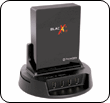
It’s a SATA drive “toaster”.

Heard about these on MacBreak Weekly. It’s a dock for internal hard drives. Buy your SATA drives on the cheap, keep them in their original packaging, and when you need to use one, just pop it into this dock.

Keep them cataloged with an app like CDFinder. And store them on a shelf — remember, one copy at your home or office, and one copy offsite! — out of the way until you need ’em.

Most consumers are not going to need these, but let’s say you shoot a lot of video. This is a nice alternative to multiple Drobos, or more expensive external hard drives (of uncertain reliability).

I found a link at NewEgg and a different version of the same idea: here and here.

UPDATE:

Erick just found this Blacx SE dock, which has a cover to protect the docked drive, and a powered USB 2.0 hub to boot.